Your Gmail, tidy every night.
Gmail filters only touch new mail. Tidy Rules clears out the old: promotions after two weeks, newsletters down to the latest few, alerts you never read. Point, click, preview. Then it keeps your inbox tidy on its own.
Runs inside your own Google account. Never deletes permanently.
How it works
No codes, no settings to learn.
It is a Google Sheet with the app inside. You copy it once, and it lives in your own Google Drive.
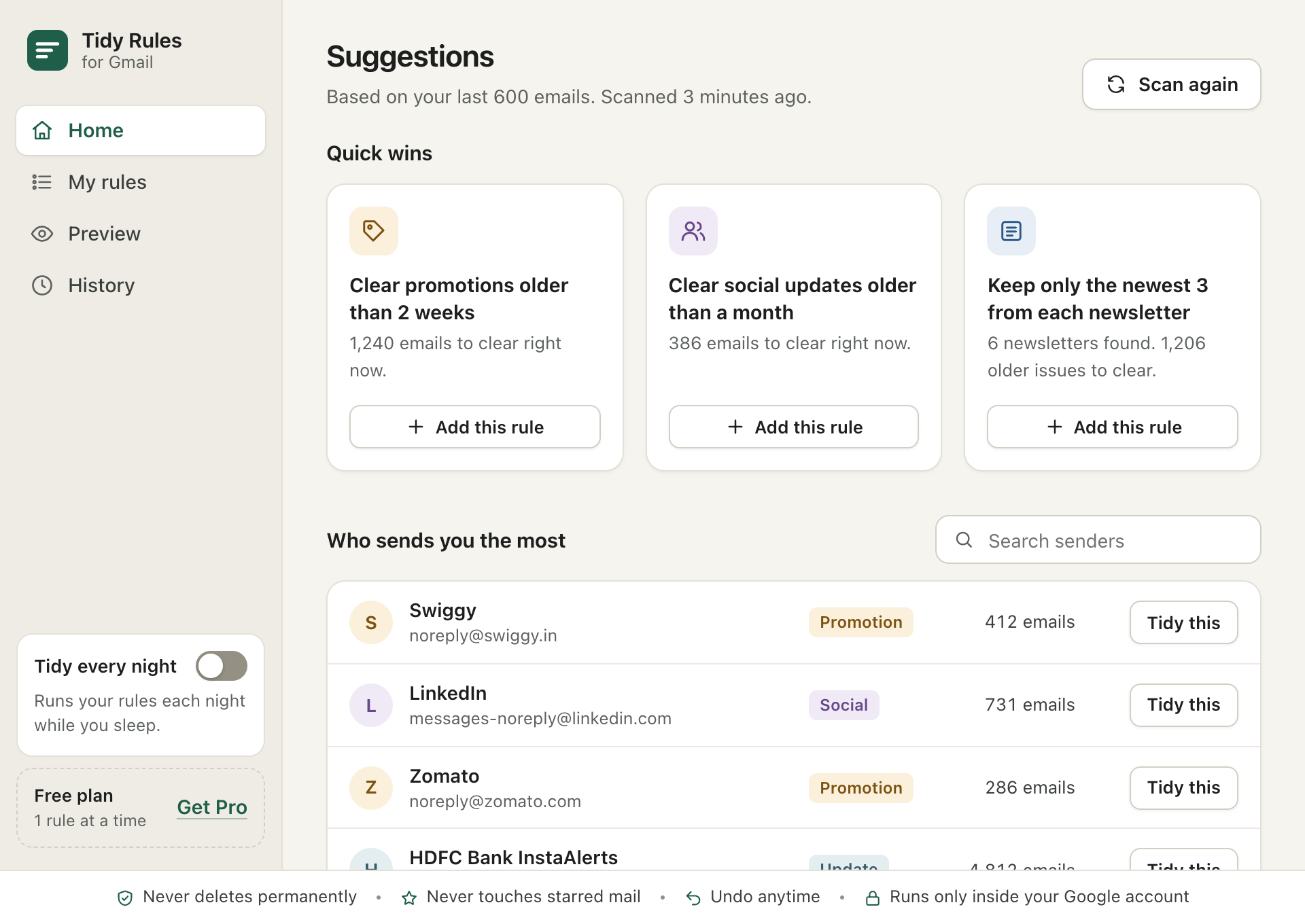
Scan and pick
Tidy Rules looks at who your recent emails are from and suggests clean-ups. Pick one, or choose a sender, and say what should happen and how old the mail must be. It shows the rule in plain words before you save it.
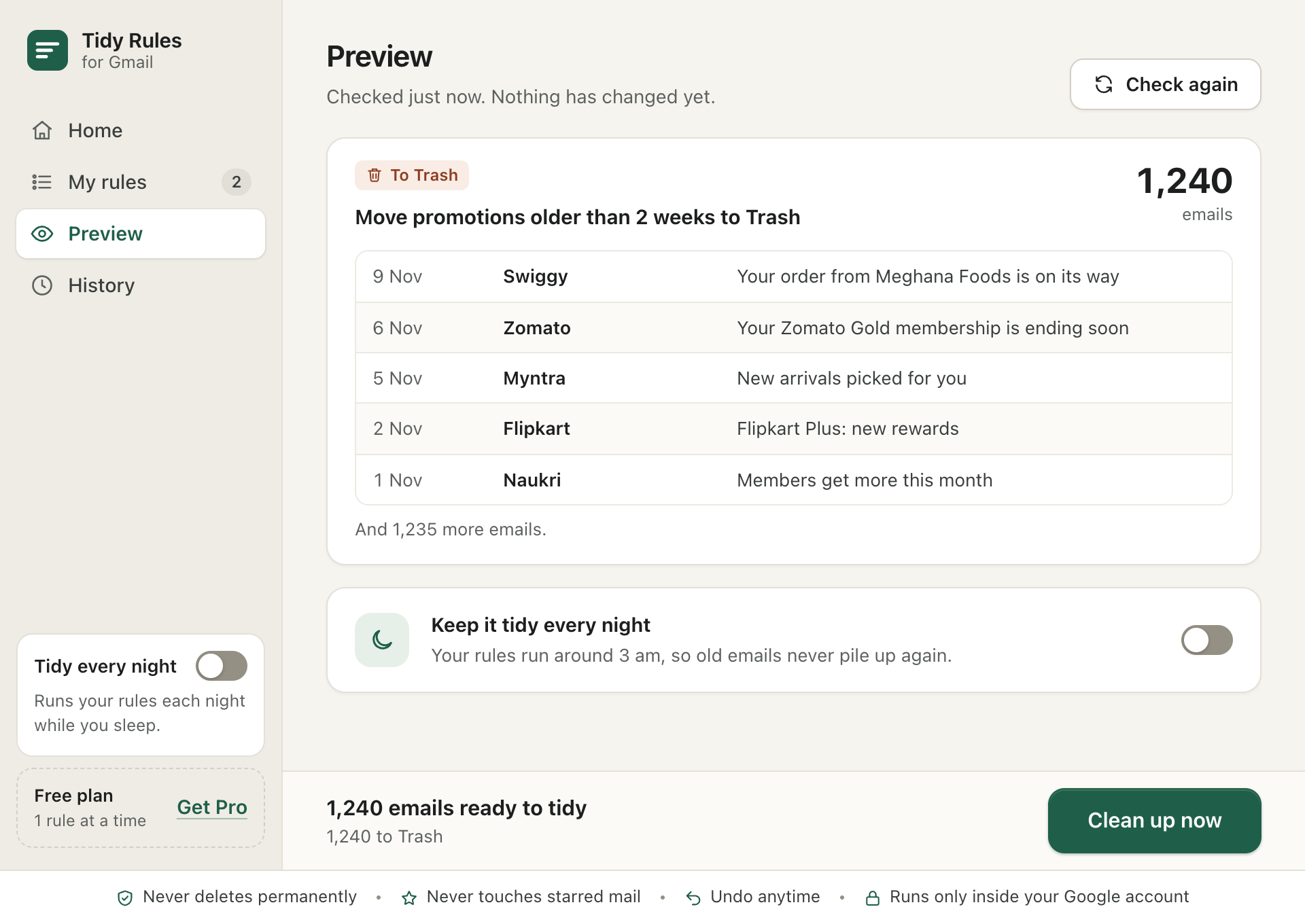
See exactly what will go
Preview shows how many emails each rule would move and the newest examples. Nothing changes until you press Clean up now and confirm.
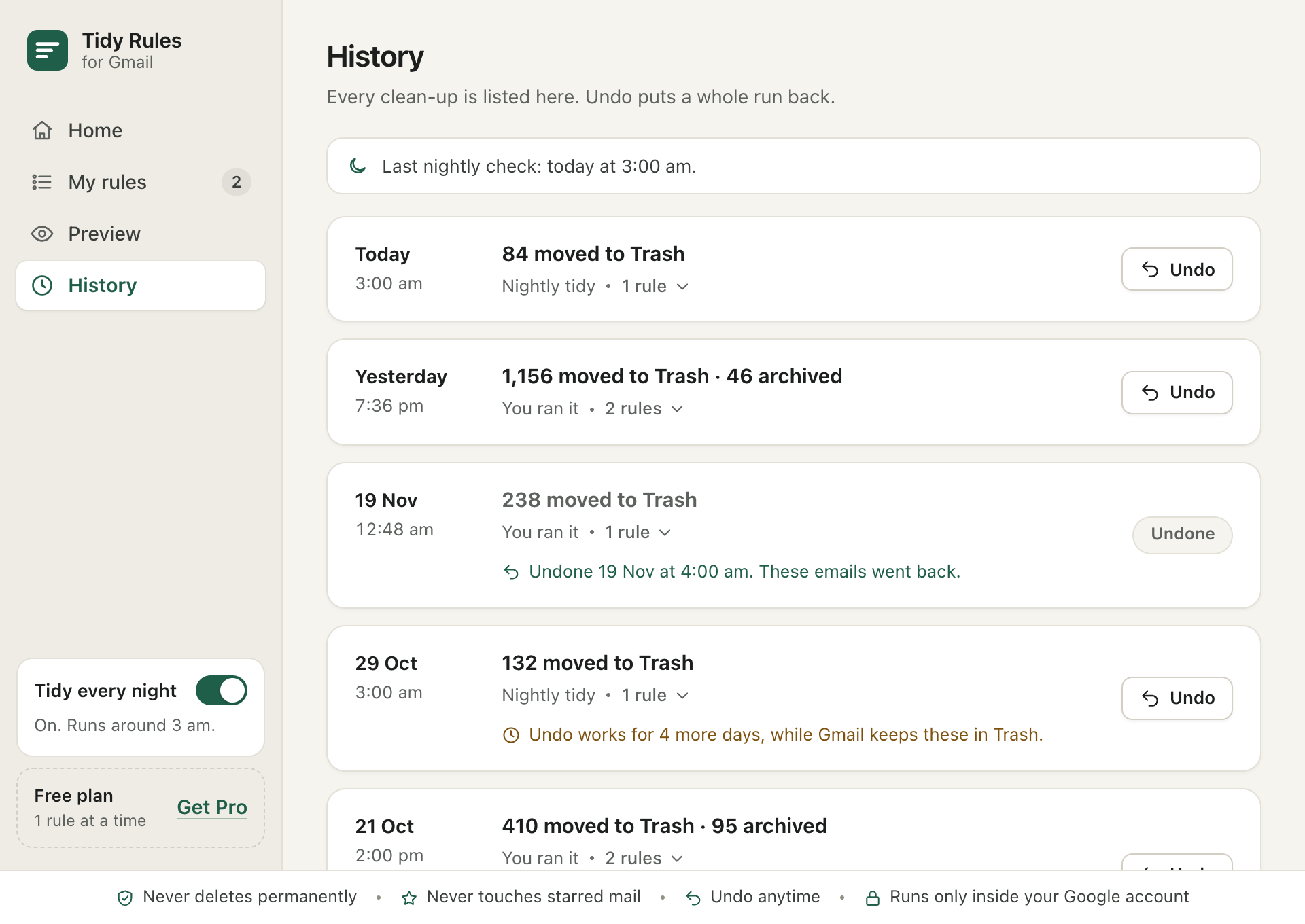
Tidy every night, undo anytime
Switch on the nightly tidy and new clutter goes before it piles up. Every clean-up is listed in History with an Undo button, so a whole run can go back in one click.
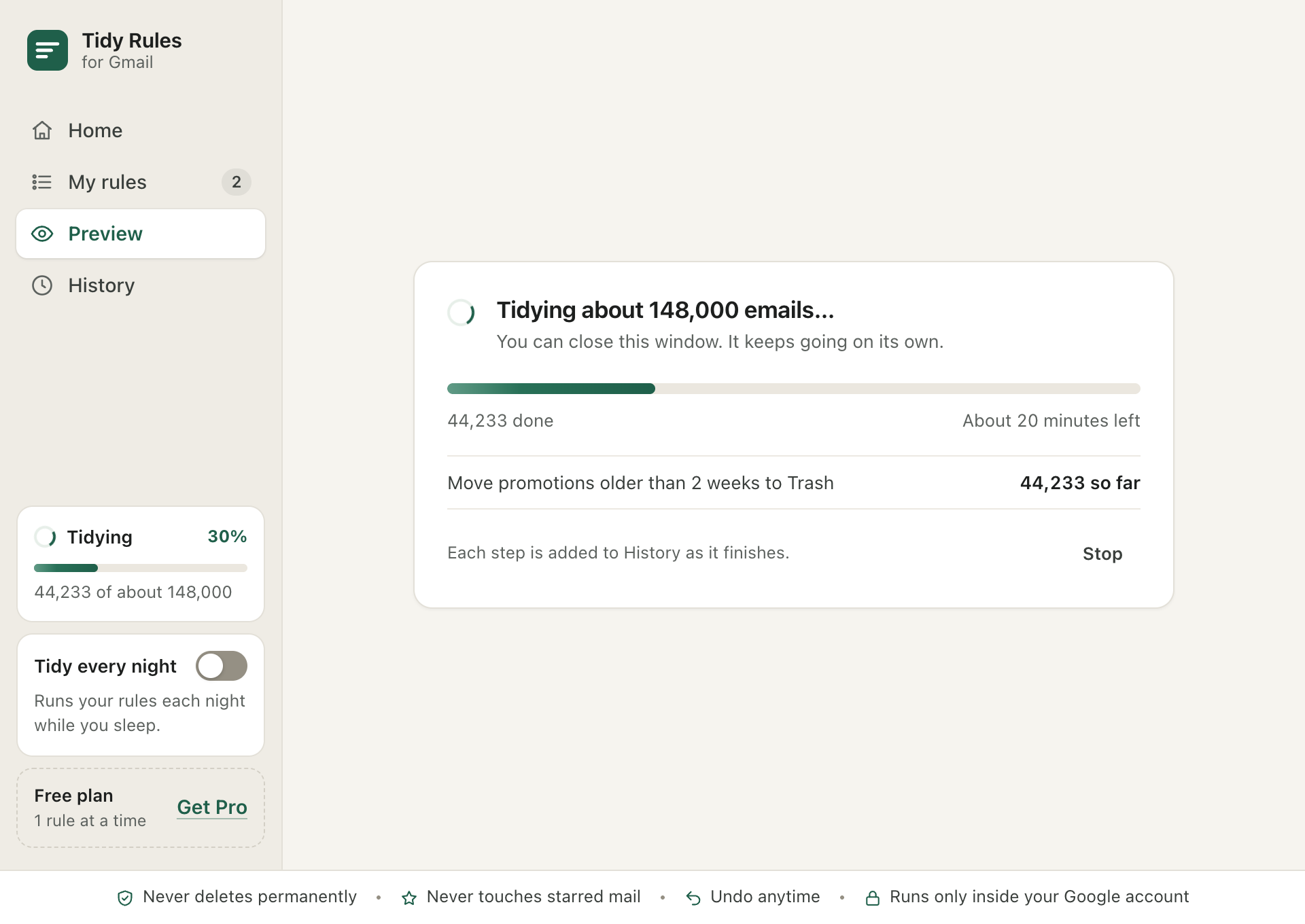
Big inboxes
A hundred thousand old emails? Fine.
Large clean-ups run in steps in the background. You can close the window and it carries on, with a progress bar and an honest time estimate when you come back.
- Works through mail in batches, the fast way Gmail allows.
- When Gmail asks it to slow down, it waits and carries on by itself.
- Google gives free accounts a daily time limit. If a huge clean-up needs more than one day, the app tells you so.
Safety
Built so it can't hurt your mail.
These are not settings you have to remember. They are how it is built.
Price
Pay once. No subscription.
Start free with one rule. Go Pro when you want more.
Free
- 1 rule switched on at a time
- Inbox scan and suggestions
- Preview, nightly tidy, undo
Pro
- Up to 50 rules at once
- Everything in Free
- Email help from the maker
Online payment opens soon. Email us and we'll send you a payment link.
Questions
Good to know
Why not just use Gmail filters?
Filters only act on mail as it arrives. They can't say "trash this sender's mail once it is a month old" or "keep only the newest three". Tidy Rules can, and it works on the mail you already have.
Why not just buy more Google storage?
If you only want space, that may be the easier fix. Tidy Rules is for people who want an inbox that stays tidy without doing it by hand every few months.
Google says the app isn't verified. Is that safe?
The app is your own copy of a script, running in your own account, so Google asks you to confirm you trust it. It asks only to view and modify (but not delete) your email, edit this one sheet, run on a schedule and show its window. You can read every line of the code in your copy under Extensions, then Apps Script.
Can it delete my email for good?
No. It does not have that permission. Mail it removes goes to Gmail's Trash, which keeps it for 30 days, and Undo brings a whole clean-up back.
Does my email go to your servers?
There are no servers. Tidy Rules runs inside your Google account and makes no outside calls. We never see your email.
Can I use it on my phone?
Set it up on a computer, because Google Sheets on phones can't open add-on windows. After that, the nightly tidy runs by itself, phone or no phone.
Does it work with work or school accounts?
Yes, if your organisation allows Google Apps Script. Some admins switch it off.
My inbox is huge. Will it cope?
Yes. Big clean-ups run in steps in the background until they are done. Google limits how long scripts can run each day on free accounts, so very large clean-ups may take more than one day. The app shows the progress and the time left.
Start with one rule. See the difference tonight.
Free to start, a few minutes to set up.
Get it free